 by Graham Dyer
 A leasing manager can name this month’s difficult units before you finish asking: the two-bedroom over the garage entrance that has been on the market since spring, and the corner unit with the balcony that will be gone by Friday because it is always gone by Friday. The property management system knows the same thing to the day. That knowledge rarely reaches the website. On most property sites, including many the PMS itself produces, the two sit side by side under the same ‘Available now’, in whatever order their availability dates put them.
WP FloorMap Velocity gives the website that knowledge. Built from the property’s own data feed, it keeps a leasing history for every unit and every floor plan, and uses that history to decide which homes and which layouts renters meet first, according to a leasing goal each property chooses. It reads no visitor data.
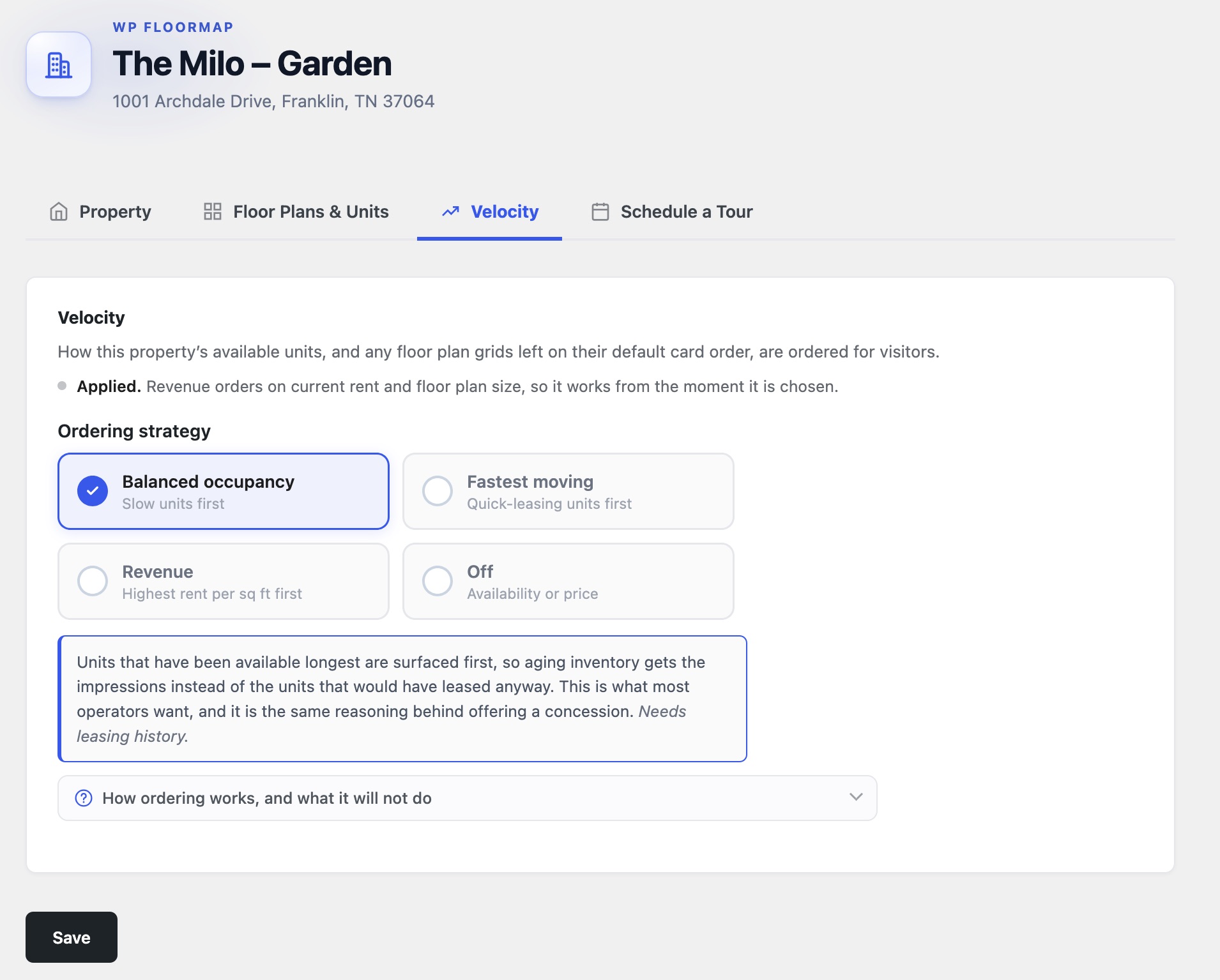
Four strategies
Sorting a list of available units by date or by price is a leasing strategy too, made by default and by nobody accountable for leasing. Velocity makes the choice an explicit one:
- Balanced occupancy: slow units first. The units available longest are surfaced first, in the settings screen’s own words ‘so aging inventory gets the impressions instead of the units that would have leased anyway. This is what most operators want, and it is the same reasoning behind offering a concession.’ It suits a community carrying a tail of hard-to-lease homes.
- Fastest moving: quick-leasing units first. The layouts that have historically leased fastest come first, for when the goal is signed leases per visit rather than clearing the tail, as in a lease-up or any property with a hard occupancy deadline.
- Revenue: highest rent per square foot first. For a stabilized asset optimizing income rather than headcount. It works from current rent and floor plan size, so it needs no leasing history and applies from the moment it is chosen.
- Off: availability or price. No reordering. Nothing is measured and nothing is inferred, and the site keeps the order it already had.
It promotes floor plans as well as units
Velocity measures at two levels. Every available unit has its days on the market. Every floor plan has a record of its own, combining the median days a unit of that plan takes to lease with the age of the oldest unit of that plan still available. The second measurement is what turns ordering into promotion. Because a renter compares a handful of layouts rather than forty vacancies, the plan cards they meet first are the ones they ask about. Under the property’s chosen strategy the plan that serves the leasing goal leads the grid: the layout that has been sitting, under Balanced occupancy; the layout that signs fastest, under Fastest moving; the layout that earns most per square foot, under Revenue.
The settings screen says where the order applies in one line: this property’s available units, and any floor plan grids left on their default card order. Lists are long and screens are short, so that order decides what a renter sees:
- The first screen of the unit list. The explorer and portfolio lists page at twenty cards and open on Recommended, which is the property’s strategy. Page one is the twenty homes the leasing goal put first.
- The units inside a floor plan. Open a plan with forty vacancies and its panel lists ten, and says so. Which ten it lists is the strategy’s decision, and with no strategy chosen they are simply the ten cheapest.
- The floor plan grid. A floor plan block left on its default order ranks the layouts themselves, so the plan the strategy favors leads the grid, and on a phone it is the top card of the stack.
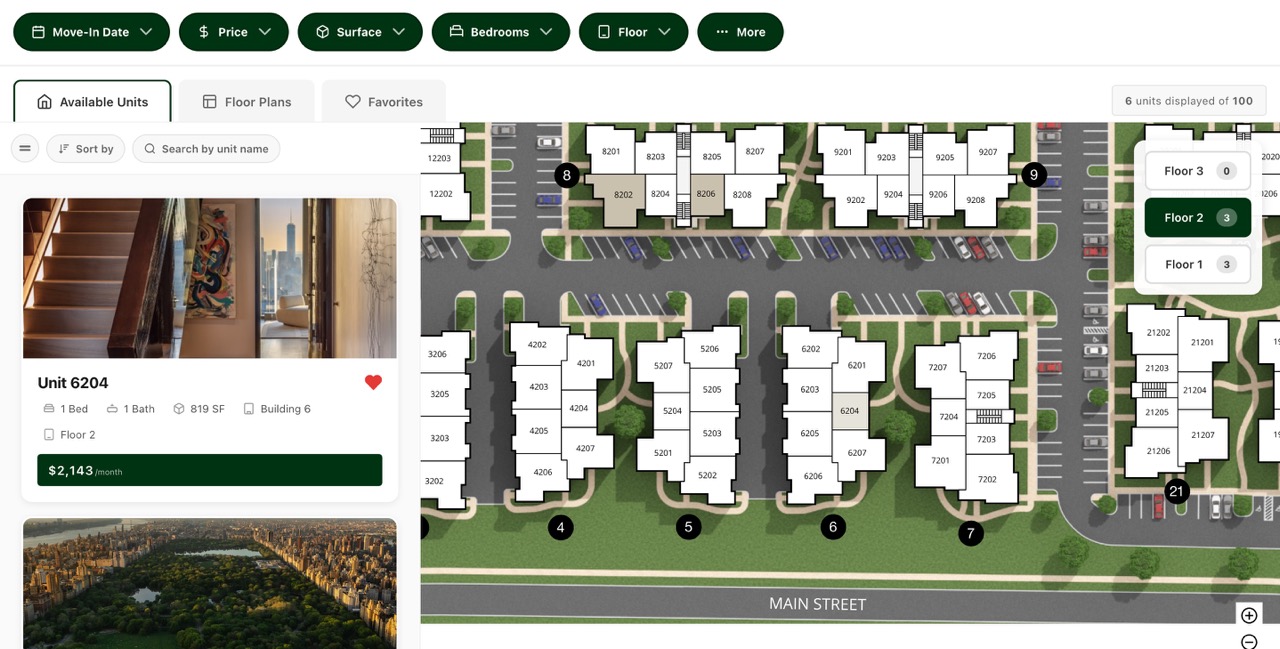
Where an editor has asked for an explicit order—A to Z, price, bedrooms—that wins, because a person chose it. There are also places Velocity deliberately does not reach: the SightMap map stays Engrain’s, pins and all. Every available unit is still listed, the filters still reach any of them and unpriced or off-market homes stay at the tail where they always were.
The measurements travel with the data. Every WP FloorMap site fetches them in the same payload that already carries its units, availability and pricing, and that payload carries the measurements all four strategies need, because the choice itself stays a setting on the property rather than something our API decides. The building’s goal is applied wherever its plans and units appear, without being configured again per page or per block.
Set per property, which is what a portfolio needs
The strategy belongs to the property. It matters most on a portfolio site, where one goal imposed on every building would suit almost none of them.
A new building and a fifteen-year-old one in the same portfolio do not want the same first apartment, and often they are the same building a few years apart, as the lease-up stabilizes, the stabilized asset ages and a tail appears. On a portfolio site each property carries its own setting, so the lease-up can run Fastest moving while the aging community runs Balanced occupancy and the stabilized tower runs Revenue, on the same site, at the same time. When a building’s goal changes, one setting changes with it and nothing else has to be rebuilt.
Where a single block gathers floor plans or units from several properties at once, WP FloorMap applies a strategy only when those properties have chosen the same one. Interleaving two different notions of best would produce a list that means nothing, so where the properties disagree the curated order stands.
Rents stay where the operator set them
Velocity changes the order in which units appear and never their price. It does not set, suggest or benchmark rents, and even the Revenue strategy only reads the rent the operator has already set, together with floor plan size, in order to sort by it.
The multifamily market has watched algorithmic rent-setting draw antitrust scrutiny, and operators have learned, rightly, to ask any software touching leasing data which lever it pulls. The one lever Velocity pulls is which home a renter sees first on a property’s own website, decided from that property’s own data.
When a unit lingers, the familiar remedy is a concession, and good tools already help an operator judge when one is warranted: Engrain’s own Asset Intelligence maps days vacant across a property so a team can see where occupancy is slipping. Velocity works from the same kind of signal, though never from that product’s data, since it keeps its own record, built from the SightMap feed the site already receives. The difference is where the signal goes. Velocity takes it to the website, putting the slow home where renters are already looking.
The record behind it keeps base rent rather than the all-in figure, because an all-in total moves whenever a fee schedule changes and a ledger reading it would mistake a new monthly charge for a movement in price. Renters should still see the all-in number, as we argued in The teaser rent, while the record needs the number that moves only when the rent does.
It reads the leasing record
Much of the software that reorders a web page learns from the people looking at it. Velocity reads none of that: no clicks, page views, sessions or favorites. Its only input is the leasing record from the property’s own data feed, so the order one renter sees is never shaped by how another renter browsed. The leasing office never needed to watch a prospect’s cursor to know which unit was slow, because the answer was in the lease dates. We have argued before that a property website should welcome a visitor before asking for anything.
Thirty days, then it runs on its own
Included on every WP FloorMap plan, Velocity builds its record from the Engrain SightMap® feed that already brings a connected property’s units, availability and pricing to its site. Twice a day it reads that feed and writes down what changed, so collection starts as soon as a property is connected.
Choosing a strategy takes a moment, but Balanced occupancy and Fastest moving apply on their own only once thirty days of leasing history exist, and until then the page keeps its usual order while the settings screen counts the days collected so far. Fastest moving then arrives plan by plan, once a floor plan has five completed spells of availability within the last year. A spell closes when the feed marks a unit unavailable, and a spell already under way when collection began is recorded as a lower bound. Revenue has nothing to wait for and Off measures nothing. Thirty days is not a long wait, and it keeps a renter’s list from being reshuffled on a few days of evidence.
A feed that fails changes nothing. A failed or untrusted feed records nothing, so an outage never becomes a lease, and an empty payload never removes units, while a guard across every property we serve holds back mass removals for a few cycles. A property whose feed has been stale for more than three days is not ranked, and if measurements fail for any reason, the property shows its units in the normal order.
The leasing office has always acted on what it knows in the quiet ways a good office does: the tour route, the concession, the unit mentioned first on the phone. Velocity gives the website the same information, and applies it to the one thing a list can change, which is the order.
See your property on WP FloorMap
Send a SightMap link, and we reply with a working preview of your site within 12 hours.