
 by Graham Dyer
 A WP FloorMap site is already good at catching leads. A prospect messages a property, books a tour or joins a waitlist for a unit that is not available yet, and every one of those moments is captured, cleanly, on your own domain. Catching it is only half the job, though. Whether a lead becomes a lease is decided by where it goes next, and the places that work are the ones somebody is already watching: a CRM queue, a shared inbox, the tab the leasing team keeps open all day.
That is what Data Sync does. It is a new capability, and it pushes each leasing moment out to the places you nominate as soon as the site records it.
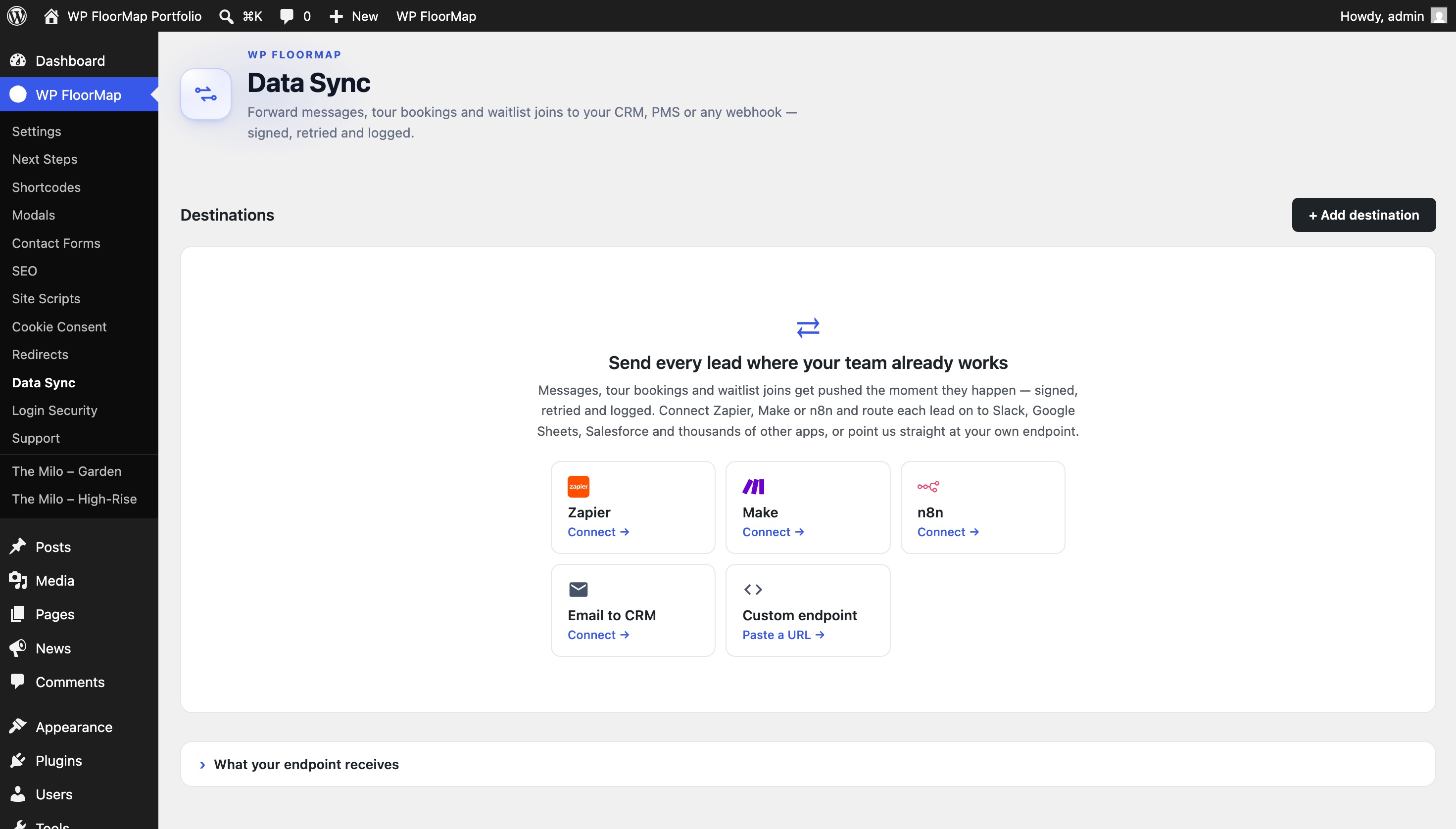
What gets sent, and where it goes
WP FloorMap records five leasing moments. One is a message sent through a form on a property page and another is a waitlist signup for a floor plan that is not available yet. The other three are tour events: a booking, a cancellation and a move to a new time. A booking carries its date, time and unit, and a reschedule carries the old slot alongside the new one, so a receiver can correct the record it already holds instead of opening a second one.
All five are recorded on all plans, and the site already passes some of them along. Where a property has a lead address set, a message is emailed to it. Tours reach the leasing team by email if the property has those notifications switched on, and the team calendar if a Google or Outlook account is connected. Data Sync takes those same events and sends them onward, carrying the prospect’s details along with the property and unit they belong to.
Two kinds of destination ship. A webhook posts each event as JSON to an HTTPS endpoint of yours, the most direct route if the team has a developer or an internal tool. An email destination sends a formatted lead to an inbox instead. Most leasing CRMs take leads that way, handing you a parse-inbox address that you point the destination at. The Zapier, Make and n8n presets are that same signed webhook with guided steps, pre-filling a name and telling you where in the other tool to copy a URL from. From there the lead does whatever the automation tool is built to do with it, dropping into a Slack channel, appending a row to a spreadsheet or arriving in a CRM that has no email route.
Up to ten destinations can run at once, in any combination, and each one can take everything or be narrowed. One destination might carry tour events and nothing else, while another carries a single property’s messages to the manager who covers it and a third carries everything to the CRM. A destination scoped to named properties will not receive a lead from the site-wide contact call to action, because that lead belongs to no property in particular.
The lead email itself is one labeled format for every destination: the event, the property, the prospect’s name, email address and phone number, the unit or floor plan, the tour date and time, the confirmation code and whatever custom fields the form collected. Reply-To is set to the prospect, so hitting reply in the CRM writes straight back to them.
You open Data Sync in the WordPress admin and add a destination, giving it a name, the webhook URL or the inbox address and the events it should carry. On a site with more than one property you also choose which properties it covers, and a webhook can take an Authorization header if your endpoint expects one. Send a test, and the card reports whatever your endpoint answered with.
Two open standards instead of a connector
The multifamily software world likes to sell integration as a product of its own, a proprietary connector to one named system, gated behind a partnership and often carrying a per-system fee that lands on the operator. The operator ends up paying a toll on data they already own.
Data Sync is built the other way round. It speaks two things nearly every other system already understands, an HTTPS POST and an email address, and between them they reach a CRM’s parse inbox, a Zapier hook or an endpoint your own developer wrote this afternoon. The destination is a URL or an inbox you chose, which means you can repoint it tomorrow without telling us.
Signing, retries and the delivery log
Delivery runs from the same backend that already sends WP FloorMap’s email rather than from the visitor’s browser, which keeps your credentials and your logic off the public page. A webhook delivery carries an X-WPFM-Signature header holding an HMAC-SHA256 of the timestamp and the exact bytes sent, so the receiver can confirm the payload came from your site and was not altered on the way. Because a retry carries a fresh timestamp and the same stored bytes, your receiver verifies it exactly as it verified the first attempt. The secret is shown once. It comes back in the response that creates the destination, and after that only its last four characters are available. That secret and any Authorization header you add are encrypted at rest on our side and are never written into your WordPress database, where a site compromise could reach them. Webhook endpoints must be HTTPS and must resolve to a publicly routable address, so loopback, private and internal ranges are refused when the destination is saved and again at delivery. An email destination has no signature, since an inbox has nothing to check one with, and is trusted by its sender address instead.
When the far end is briefly down the delivery is retried rather than dropped, up to six attempts on a widening backoff that runs from one minute to twelve hours, about fifteen hours from first try to last. After the sixth the row is marked failed and stays in the log. That log holds ninety days, one row for each event and destination. Each row carries the status, the response code that came back and the number of attempts it took, with the last error on anything that failed, so a lead nobody can find can be traced to the side that dropped it. Lead email carries one further limit, 250 messages a day across your destinations, which keeps the feature from being turned into a spam relay.
Data Sync is included on WP FloorMap Launch and Studio, where it is already installed, so you add a destination and it starts sending. Like the rest of the product, it is an attempt to do the un-glamorous plumbing properly so a leasing team never has to think about it. If you would like your leads landing in the tools your team already has open, get in touch.
Frequently asked questions
Which CRMs does Data Sync work with?
Most of them, by one of two routes. Nearly every leasing CRM ingests leads at a parse-inbox address, and an email destination sends a formatted lead straight to it. Anything with an API you reach by webhook, either directly or through an automation tool sitting in between. Neither route needs a partnership with your CRM vendor.
Do I need Zapier to use it?
No. You can point Data Sync straight at your own HTTPS endpoint or at your CRM’s lead inbox with nothing in between. Zapier, Make and n8n are there for when you want one lead to reach several places at once; Zapier’s own directory runs to thousands of apps. The presets for those three create an ordinary signed webhook, with the setup steps written out instead of a bare URL field.
Does Data Sync work with Entrata or Yardi?
Data Sync has no connector built for either one. It ships two destination kinds, a webhook and an email address, and most leasing CRMs and property management systems take leads at a parse inbox, so the usual route into Entrata or Yardi is an email destination pointed at whatever lead address your installation is configured with. Send us that address if you are not certain of it and we will set the destination up with you.
Is my lead data secure?
Because the routing runs on our backend rather than in the visitor’s browser, your credentials and your routing rules never appear on a public page. A webhook delivery is signed with an HMAC-SHA256 of the timestamp and the exact bytes sent, so your receiver can verify it came from your site and was not altered. An email destination has no signature, since an inbox has nothing to check one with, and is trusted instead by its sender address, which is locked to WP FloorMap and capped at 250 lead emails a day. Any secret or Authorization header you provide is encrypted at rest on our side and is never stored in WordPress. Every delivery, successful or failed, is written to a log you can read for ninety days, with the status, the response code and the number of attempts it took.
See your property on WP FloorMap
Send a SightMap link, and we reply with a working preview of your site within 12 hours.