

 by Graham Dyer
A few months ago we wrote that AI search is changing how renters find apartments: more and more people open ChatGPT, Claude or Perplexity, describe the place they want and get back a short list instead of ten blue links. That post made the case that the shift is real and that it rewards properties whose data a model can actually read.
The obvious next question is the practical one: so how do I get on that list? This is the checklist. None of it needs a data-science team, and most of it is work you do once. The through-line is simple: an answer engine can only recommend what it can read, so your job is to make the facts about your property machine-legible.
An honest note up front: nobody can promise a spot in an AI’s answer, the same way nobody can promise the top of Google. What you can do is remove every reason a model has to skip you and pick a competitor whose data is easier to read. That is what this playbook is for.
Search ranks pages. Answer engines quote facts.
Traditional SEO optimizes for ranking: you want your page near the top of a list of links. Generative engines work differently. When someone asks an assistant for ‘a two-bedroom under $2,400 near downtown with in-unit laundry, available in September,’ the model is not returning a list of pages. It is assembling an answer, and to do that it needs facts it can lift: the rent, the bed and bath count, the neighborhood, the amenity, the availability date. If those facts live on your page as plain, structured text, you are quotable. If they live inside a picture, a PDF or a third-party widget the model cannot open, you are invisible, however beautiful the page looks to a human.
People sometimes call this Generative Engine Optimization, or GEO. The label matters less than the mindset: stop thinking only about how your page looks to a renter, and start thinking about how it reads to a machine.
Six moves follow, in rough order of impact. Do the first three and you have already beaten most of your competition.
1. Put your facts in structured data
Structured data is a small, invisible block of code (the format is JSON-LD, using the Schema.org vocabulary) that states the facts of your page in a way machines read directly. It is the single highest-leverage item on this list, because it removes the guesswork. Instead of hoping a model infers your rent from marketing copy, you hand it the number.
For an apartment community, the relevant vocabulary is an ApartmentComplex containing individual Accommodation (or Apartment) entries, each carrying an Offer with the price, a numberOfRooms and numberOfBathroomsTotal, a floorSize, an amenityFeature list and a geo location. Google has read exactly this markup for years to build its rich results; AI models lean on the same signals.
ApartmentComplex: ‘The Meridian’
→ Accommodation: ‘Unit 4B’ · 2 bed · 2 bath · 1,100 sq ft
→ Offer: $2,450 / month, available September 1
→ amenityFeature: in-unit laundry, balcony, parking
→ geo: 40.71, −74.01
How WP FloorMap does it. Every property, unit and floor plan on a WP FloorMap site emits this JSON-LD automatically, generated from the same live Engrain SightMap® and PMS data that powers the page, supplemented by any data additions you make within WP FloorMap. When a pet policy changes, a unit leases or a price changes, the structured data changes with it. No manual tagging, no separate feed to maintain.
2. Put the facts in text, not pixels
The most common gap is subtler than it looks. The facts are right there on the page, but only in a form a machine cannot read: pricing baked into a JPEG, a floor plan shared as a PDF, a spec sheet saved as an image. To a person these look perfectly fine. But a crawler, whether Google’s or an AI’s, generally cannot read the text inside an image or reliably parse a PDF floor plan. So whatever a renter sees on the page, make sure the same facts also exist as plain text, where a machine can read them as easily as a person can.
The fix is to render the facts (unit names, bed and bath counts, square footage, price, availability date, amenities) as real HTML on your own page, alongside whatever interactive map or gallery you use for humans. The pretty version and the readable version are not in competition. You want both.
How WP FloorMap does it. It renders your inventory as real, semantic HTML on your own domain, right alongside your interactive map. Your SightMap stays exactly where it is for the visual, interactive experience; WP FloorMap adds a readable layer next to it, so the same data a renter clicks through is the data a crawler can read.
3. Add an llms.txt, and welcome the AI crawlers
Two small files tell AI systems how to treat your site. The first is your robots.txt: make sure it does not block the crawlers you actually want. Plenty of sites, often without realizing it, disallow the very agents that feed AI answers. If being cited is the goal, let them in.
The second is a newer, still-emerging convention called llms.txt: a plain-text file at yoursite.com/llms.txt that gives an AI a clean, structured overview of what your site is and where the important pages are. Think of it as the opposite of robots.txt. Instead of telling crawlers what to ignore, it tells them what to pay attention to. It is not an official standard and no model is required to read it, so treat it as a low-cost bet rather than a guarantee: cheap to publish, potentially useful, harmless if ignored.
A word on which crawlers to allow. The user-agents behind today’s assistants include GPTBot and OAI-SearchBot (OpenAI), ClaudeBot (Anthropic) and PerplexityBot (Perplexity), among others. Whether to permit them at all is a real decision, and a reasonable operator could go either way, but if your goal is to be recommended by these tools, blocking their crawlers works against you.
How WP FloorMap does it. A WP FloorMap site generates an llms.txt for you, kept current from your live data, and ships a robots configuration that welcomes AI crawlers by default. (For what it is worth, this very site does the same: our robots file names the major AI agents and invites them in.)
4. Answer the questions renters actually ask
Assistants are conversational, so the content that gets quoted is the content that sounds like an answer to a real question. ‘Is it pet-friendly?’ ‘What is included in the rent?’ ‘How far is it from the train?’ ‘What is available for a September move-in?’ If your site answers those in plain language, a model can lift the answer directly.
A frequently-asked-questions section is the most efficient way to do this, and it comes with a bonus: you can wrap it in FAQPage structured data so each question and answer is machine-readable too.
How WP FloorMap does it. The plugin builds accessible FAQ and content sections you can drop onto any page, and its neighborhood and amenity data hand models the concrete, local facts (distances, what is nearby, what each unit includes) that renter questions turn on.
5. Stay fresh, fast and crawlable
Freshness is a signal. A page that updates when your availability changes tells a model its facts are current and worth trusting; a stale page invites the model to look elsewhere. Two mechanics help here: a sitemap that reports an honest lastmod date for each page, and pages that do not hide their content behind slow JavaScript a crawler may never wait for. Fast, clean HTML is easier for every reader, human or machine.
How WP FloorMap does it. Availability and pricing update live from your feed, so the page (and its structured data) is current by default, and the site is built lean, with a redirect manager that keeps links from breaking when a unit comes off the market. Freshness is automatic rather than a chore.
6. Keep one set of facts, everywhere
Models weigh consistency. If your rent says one thing on your website, another on a listing site and a third in an old cached page, an assistant has no reason to trust any of them and may quote the wrong one. Pick a single source of truth for your numbers and let every surface read from it. The same discipline that makes all-in pricing a compliance win, one honest number shown as text, makes your pricing legible to AI at the same time.
How WP FloorMap does it. Your site reads pricing, availability and floor plans straight from your SightMap source of record, so the number on the page matches the number in your system and changes when it does. One source, every surface.
How to tell if it is working
You do not have to fly blind. Three quick checks:
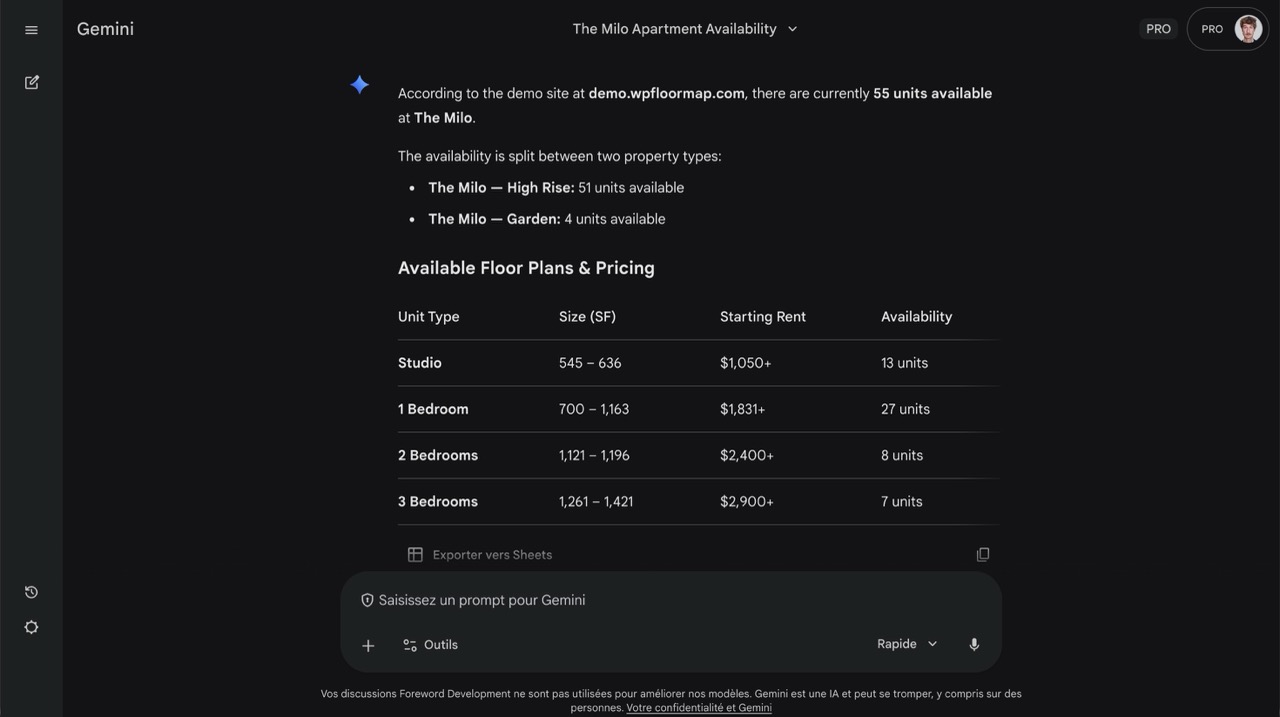
- Ask the assistants directly. Open ChatGPT, Claude or Perplexity and ask about your property, or about ‘apartments in [your neighborhood] with [your best amenity].’ See whether you come up and whether the details are right. It is the fastest reality check there is.
- Watch your logs. AI crawlers identify themselves. Search your server logs for user-agents like
GPTBot,ClaudeBotandPerplexityBotto confirm they are visiting and what they are fetching. - Watch your referrals. Assistants increasingly link their sources, so visits referred from
chatgpt.com,perplexity.aiand the like will start to appear in your analytics. Small numbers today, but a trend worth tracking.
The short version
- Structured data first. Hand the facts to the machine as JSON-LD; do not make it guess.
- Text, not pixels. Make sure your price, beds, availability and amenities also live on the page as real text, not only inside a picture or a PDF.
- Invite the crawlers. Allow the AI agents in robots.txt and publish an llms.txt.
- Sound like an answer. Add an FAQ in plain language, wrapped in FAQPage schema.
- Stay fresh and consistent. Keep pages current and quote one set of numbers everywhere.
None of this requires WP FloorMap. What it requires is a site that is machine-legible: structured, textual, fresh and honest about its facts. We simply built the kind of site where every item on this list is handled for you, because for a leasing team the distance between ‘we should do that’ and ‘it is already done’ is usually the whole story. If you want to see what that looks like on your own property data, get in touch.
Frequently asked questions
Do I need special software to be cited by AI?
No. Everything in this playbook is standard web practice: structured data, real HTML text, a clean robots.txt and llms.txt, an FAQ and a fast site. You can do all of it by hand or with your existing tools. Software like WP FloorMap simply does it for you, automatically and kept in sync with your live availability and pricing, so it never drifts out of date.
Is llms.txt an official standard?
Not yet. It is a proposed, still-emerging convention, and no AI model is required to read it. That is why we treat it as a low-cost bet: it is trivial to publish, it may help and it does no harm if a model ignores it. Structured data and real, crawlable HTML are the parts that carry the most weight today.
Which AI crawlers should I allow?
If your goal is to be recommended by AI assistants, allow the agents behind them: OpenAI’s GPTBot and OAI-SearchBot, Anthropic’s ClaudeBot and Perplexity’s PerplexityBot, among others. Whether to allow AI crawlers at all is a legitimate business decision, but blocking them and hoping to be cited works against you.
Will structured data guarantee my property gets recommended?
No, and be wary of anyone who promises otherwise. Structured data removes the guesswork and makes you eligible to be quoted accurately; it does not force a model to pick you over everyone else, any more than good SEO guarantees the top of Google. The goal is to give the best possible answer no reason to leave you out.
How is AI visibility different from regular SEO?
They overlap heavily, and the same structured data and clean HTML help both. The difference is the goal. SEO aims to rank your page in a list of links a person then clicks. AI visibility, sometimes called Generative Engine Optimization, aims to get your facts quoted inside an answer the person may never leave. Do the fundamentals well and you serve both at once.
Ready to see the difference?
Schedule a call and we’ll walk you through WP FloorMap on your own property data.