
 by Graham Dyer
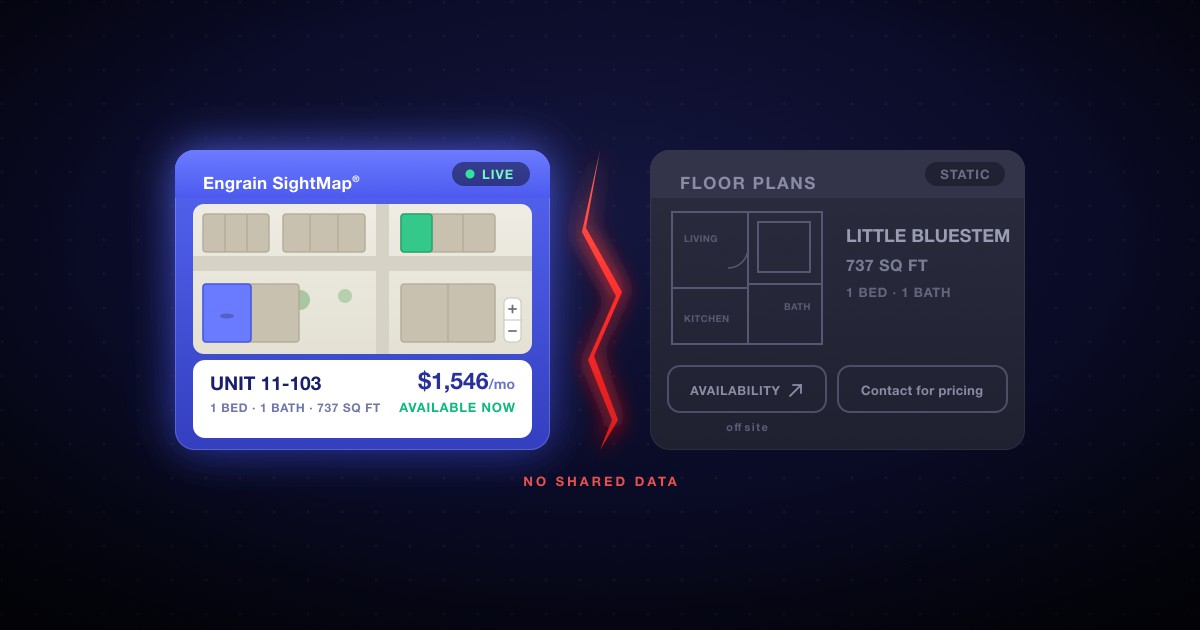
Open almost any new apartment website and look at how it shows its homes. There is a good chance you will find two tabs. One says something like “Interactive Map” and holds a beautiful Engrain SightMap® with live availability and all-in pricing. The other says “Floor Plans” and holds a grid of static picture cards. They sit side by side, they look like two halves of one tool, and they barely know each other exists. We call it the two-tab problem, and once you have seen it you cannot unsee it.
It is worth naming because the pattern is so common that it looks like the normal way to build an apartment page — and because it quietly works against three things every operator says they care about: leasing, search visibility and a clean prospect experience. None of it is the map’s fault. The map is the best thing on the page. The problem is everything the pattern leaves disconnected around it.
What the two-tab pattern looks like
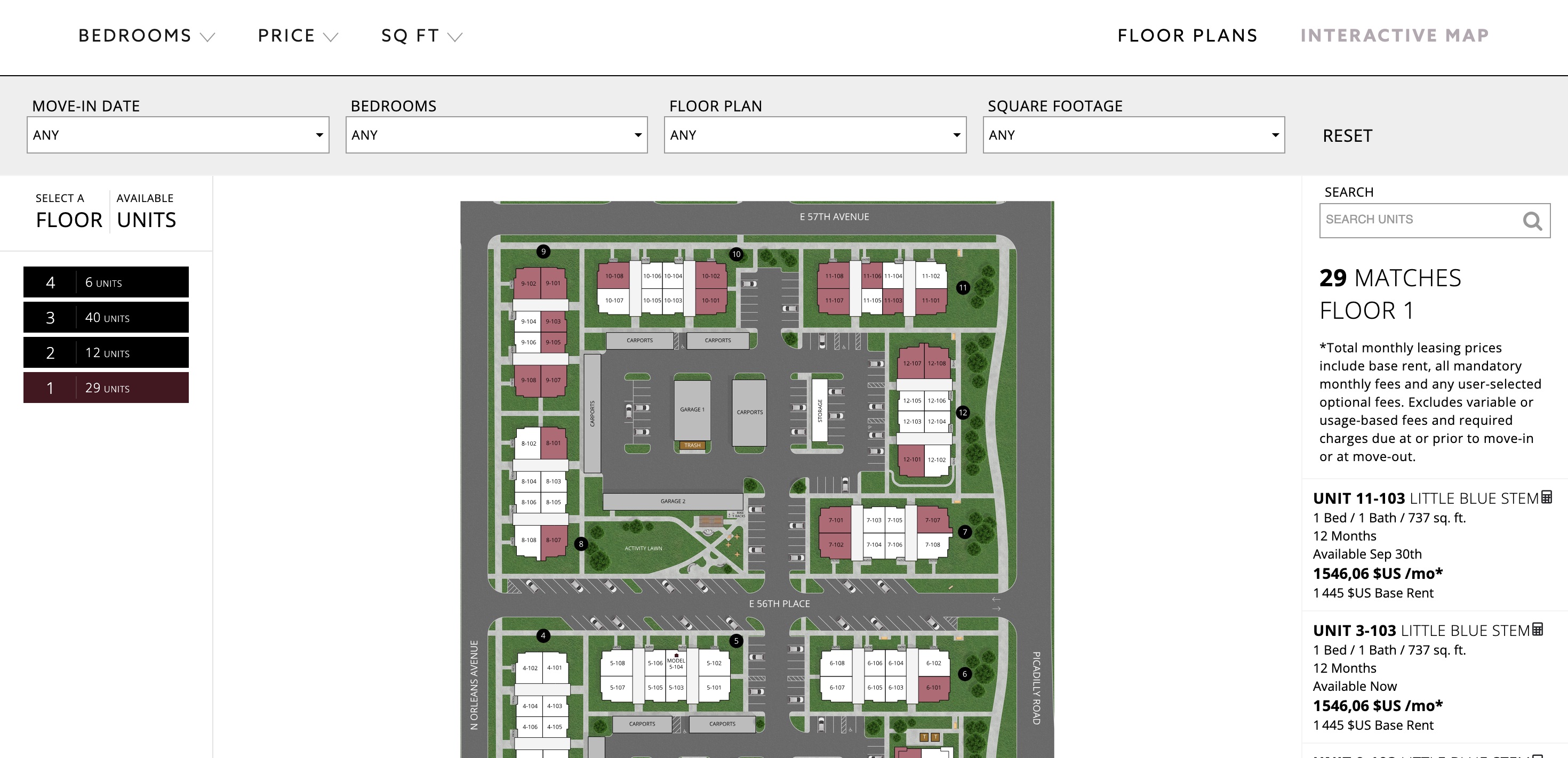
The first tab is the good one. It is a live SightMap: pan the building, click a unit, see the real price and the real move-in date, filter by bedrooms or budget. It has the polish Engrain is known for, and for most communities it is the single strongest leasing tool on the whole site.
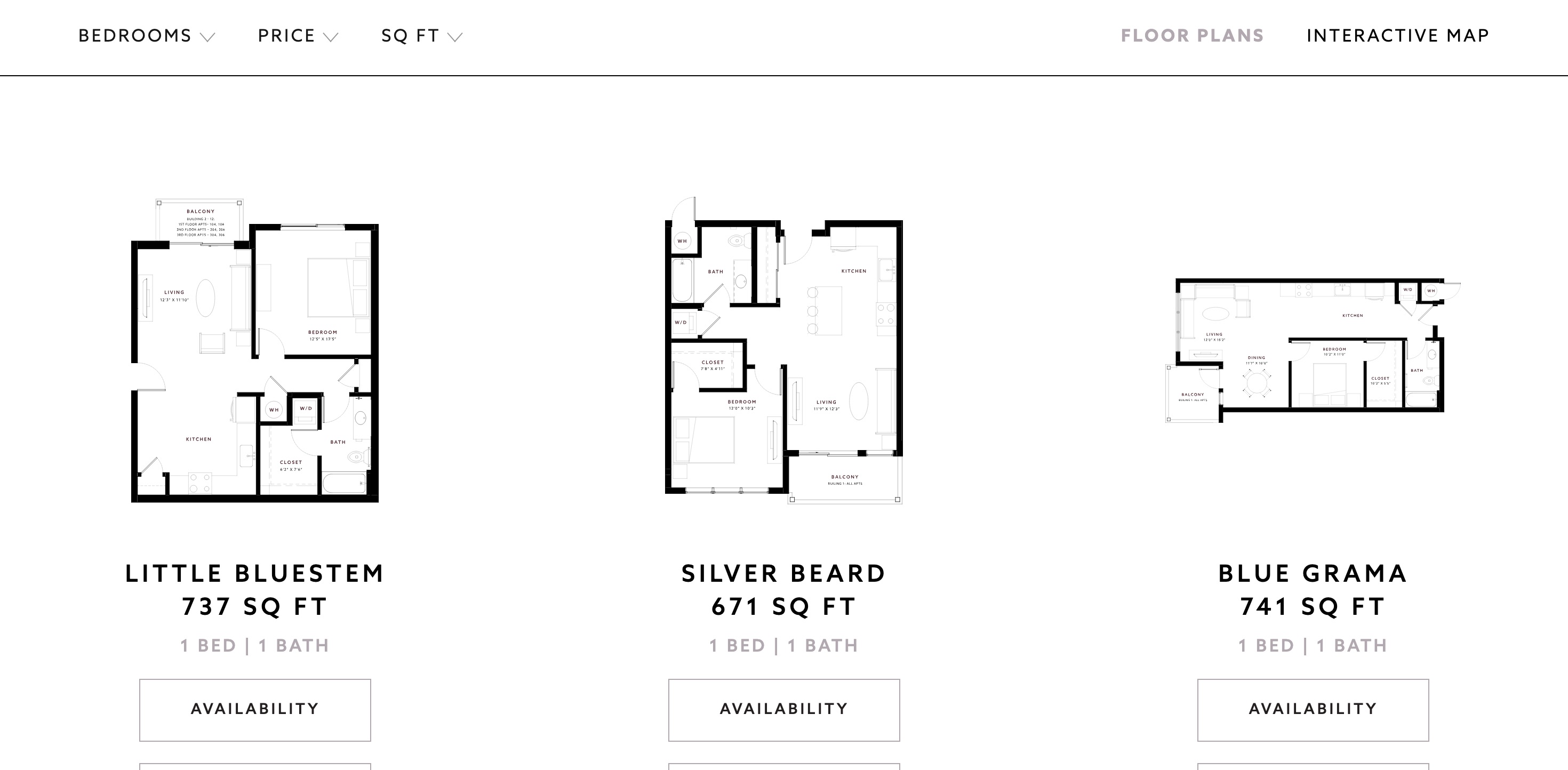
The second tab is where the drop happens. Labelled “Floor Plans,” it is a grid of static image cards: a picture of each layout, a name, maybe a bed-and-bath count, and an “Availability” button. No live price. No move-in date. No way to act on a specific home. A renter who lands here after the map feels the difference immediately, as if the site went dark.
Why it happens, and why it is nobody’s fault
The two tabs are two different systems. The SightMap is served from Engrain’s domain inside an iframe — a sealed window in your page — and the floor-plans tab is built separately, as ordinary content in your website’s CMS. Two sources of data, no shared state and a page that cannot read the content inside the frame — and, out of the box, nothing wiring the two together.
Given that, the two-tab build is the reasonable path. A studio doing beautiful design work is not in the business of wiring live data between a sealed frame and a hand-built page; that is engineering, not craft. So the map gets embedded, the cards get built by hand, and the result looks finished on launch day. It photographs well. It just is not connected — and the gap only becomes visible once real renters, and real crawlers, start arriving.
A tooling answer to a storytelling question
Step back from the mechanics for a moment, because the labels themselves give the game away. “Floor Plans” and “Interactive Map” are two tools — two ways to look at the same list, as though choosing a home were a matter of picking a viewer. But nobody falls for an apartment because they toggled to the map view. They fall for the light in the corner unit, the courtyard they would cross every morning, the neighborhood they want to belong to. A leasing page is meant to tell that story and let the map and the homes live inside it. Two tabs skip the story and hand over two instruments instead.
This is why a sealed iframe is more than a technical limit; it is a symptom of a thinner idea of what the page is for. A SightMap is not “one way of viewing apartments” to be parked on a tab. It is the spatial heart of the story — where a prospect sees exactly where their home sits in the building, which way it faces, what it looks out on. Dropped into a frame that speaks to nothing around it, that heart beats alone: cut off from the photography, the amenities, the neighborhood and the reasons a person chooses this address over the one down the street. Given a page with a logic that actually makes sense, the same map becomes the center of gravity the whole story turns around.
The four places it leaks
The disconnect is invisible on a demo call. It shows up in four places once prospects are on the page.
The filters do not agree. Two-tab sites often carry two separate sets of controls: the page’s own filter bar — bedrooms, price, square feet — sitting above the map, and the map’s own filtering sealed inside the frame. Set the outer one and nothing happens to the map below it, because nothing wires that outer bar to the sealed map — connecting them takes Engrain’s IFrame API and custom JavaScript, exactly the build the two-tab pattern skips. Filter the map, meanwhile, and the static floor-plans tab does not follow. Two sets of controls, on one page, that never touch.
The floor-plans tab is a dead end. Its cards are pictures, not data. The “Availability” button does not open that home; at best it bounces the visitor back to the map to start the search over, and the layout they were looking at carries none of the current price or move-in information that would help them decide.
There is no deep link to apply. Say a renter does find the exact unit they want — the static card gives them no direct way to apply for that one. There is no deep link that carries the specific apartment into the application; clicking through hands them to the leasing system — Yardi RentCafe, AppFolio, whichever PMS the property runs — at its front door, where they begin again: choose the community, filter to the bedroom count, hunt down the unit they had already picked. Most modern leasing systems can accept a link that carries the specific home — or at least its floor plan — into the application; the flat two-tab card simply never carries one. So a prospect who was ready to apply is asked to find their apartment a second time — and some of them won’t.
Search and AI cannot read your homes. Everything live sits inside the frame, and content in an iframe belongs to the frame’s domain, not your page. When Google crawls your floor-plans page it finds the static cards and little else; when a renter asks ChatGPT or Claude for “two-bedrooms under $2,400 near downtown,” the model cannot lift a single fact about your inventory, because as far as it can read, the facts are not there. We wrote about this at length in our AI-visibility playbook: an answer engine can only recommend what it can read.
A quick way to tell if your site has it
Three checks, two minutes:
- Filter, then switch. Filter for a two-bedroom on one tab, then switch to the other. Do the results carry over, or does the second tab ignore you entirely?
- Pick a unit, then apply. Find a specific home you like, then try to apply for exactly that one. Does a link carry it into the application, or are you dropped at the leasing system’s front door to start over?
- View the source. On your floor-plans page, open the browser’s “View source” and search for a current price or a move-in date. If the live numbers are not in the page’s own HTML, neither Google nor an AI assistant can read them either.
If any of those falls flat, you have the two-tab problem — and you are in very good company, because most of the market does too.
The fix is not a better tab. It is one live page.
The way out is not to polish the floor-plans tab or bolt another filter onto the map. It is to give every surface one source of truth. Keep the SightMap exactly where it belongs — the interactive centerpiece — and make everything around it just as alive: floor-plan and unit cards rendered as real HTML carrying the same live availability and pricing as the map, one set of filters driving both at once, structured data underneath so search engines and AI assistants can read every unit, and tour scheduling wired into your own lead capture. One source of truth, every surface current, the map and the list finally in sync. And because it is one page rather than two tabs, the map can finally sit inside the property’s story — the photography, the neighborhood, the reasons to live there — instead of waiting on a tab beside it.
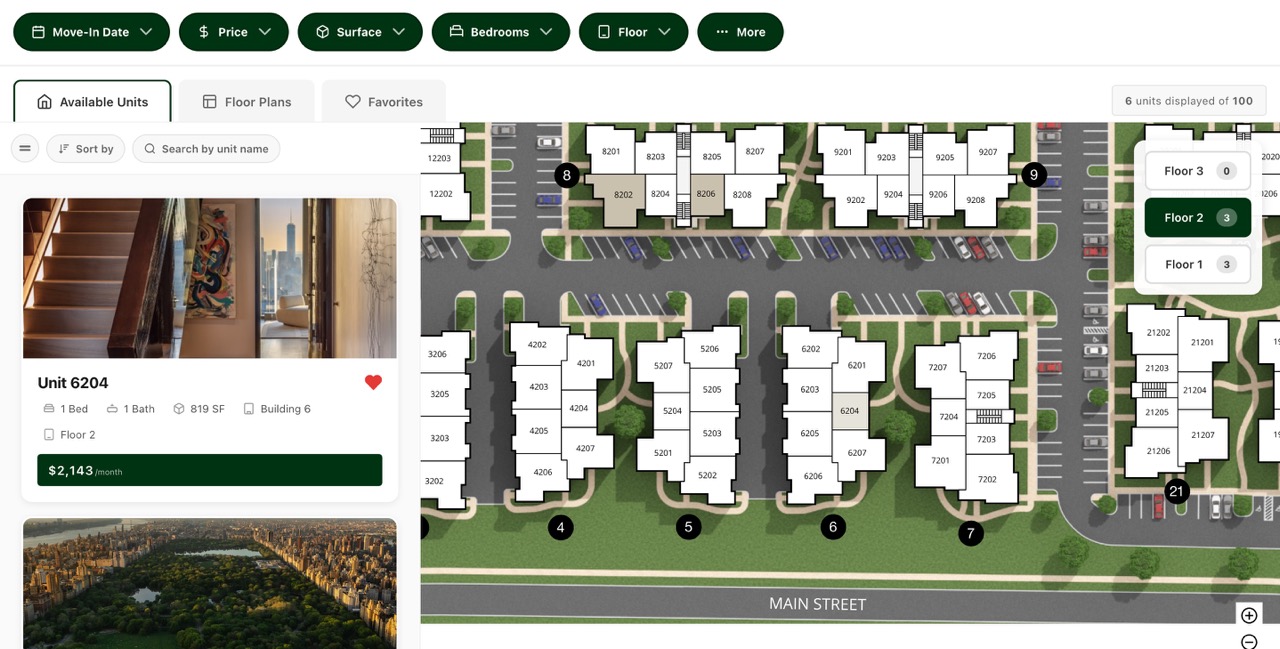
Historically that was a custom development project. We built WP FloorMap to remove it. On the Launch and Studio plans it generates your entire multifamily website from your SightMap and PMS data and Foreword sets it up for you, live in an afternoon and for less per month than a typical agency’s retainer; on the Plugin plan it adds the same live data layer to a WordPress site you already run. If you want the full walk-through of the embed and the native approach side by side, start with how to embed Engrain SightMap on your website.
Frequently asked questions
What is the two-tab problem on an apartment website?
It is a common apartment-website layout where the interactive map lives on one tab and a grid of static floor-plan cards lives on another, and the two never share data. The map tab is live and current; the floor-plans tab is a set of pictures with a name and a bed-and-bath count. Because the map is embedded as a sealed iframe and the cards are built separately in the site’s CMS, filtering one does nothing to the other, and the real availability and pricing stay locked inside the frame.
Why don’t the map and the floor plans on my apartment site match?
Because they are two different systems with two different data sources. The SightMap is served from Engrain’s domain inside an iframe, and the floor-plans tab is hand-built content in your website’s CMS. A page cannot read the content inside a cross-origin iframe, and out of the box nothing wires the two together, so there is no shared state: filter the map and the cards do not follow, update a price in your PMS and the static card keeps the old number. Matching them requires pulling the same live data into both surfaces, which is exactly what a native integration does.
Do static floor-plan cards hurt my SEO?
The live units inside an embedded map are invisible to search engines and AI assistants, because content in an iframe belongs to the frame’s domain, not your page. That leaves the static floor-plan cards as the only thing crawlers can read on your floor-plans page, and a picture with a label carries no availability, no price and no structured data. The fix is to render your real units as HTML and structured data on your own page, so the map is for people and the text layer is for machines.
How do I connect the SightMap to my floor-plan cards?
You give both surfaces one source of truth. Instead of a sealed iframe beside hand-built cards, a native integration renders live floor-plan and unit cards from the same data that feeds the map, so one set of filters drives the map and the list together and structured data sits underneath for search and AI. On WordPress, WP FloorMap does this for you: on the Launch and Studio plans Foreword builds the whole site, and the Plugin plan adds the live data layer to a WordPress site you already run.
Want to see one live page instead of two disconnected tabs? Explore the live demo — every unit you see there is crawlable text on the page — or get in touch and we’ll show you what it looks like with your own SightMap.