 by Graham Dyer
If your property has an Engrain SightMap®, sooner or later someone on the team asks the obvious question: how do we get this on our website? It is the right question — the interactive map is often the single best leasing tool a community has, and it deserves better than living only inside a link. The answer comes in two parts: the quick way, which takes five minutes, and the complete way, which turns the map into the centerpiece of a site that search engines and AI assistants can actually read. This guide covers both honestly, including what the quick way cannot do.
The standard embed: an iframe, five minutes
Every SightMap subscription comes with an embeddable version of your map. Engrain provides an embed URL for your property, and you place it on a page inside an iframe — a window in your page that displays content served from Engrain’s domain. If you do not have your embed URL to hand, your Engrain contact can supply it.
On WordPress, that means adding a Custom HTML block to any page and pasting the iframe. On Webflow, Squarespace or a hand-built site, the equivalent embed element does the same job. Give the frame a generous height, publish, and the interactive map is live: visitors can pan the property, click units and browse floor plans exactly as they would on the SightMap itself.
A few lines of CSS make the frame behave: let it fill the width of its container, give it a generous height and step that height down as the screen narrows, so the map never dwarfs a phone viewport. Wrap your iframe in a container (here .sightmap-embed) and add this to your stylesheet — on WordPress, Appearance → Customize → Additional CSS works fine:
.sightmap-embed iframe {
  width: 100%;
  height: 700px;
  border: 0;
}

/* shorter frame as the screen narrows */
@media (max-width: 1024px) {
  .sightmap-embed iframe { height: 600px; }
}
@media (max-width: 640px) {
  .sightmap-embed iframe { height: 480px; }
}
Engrain also gives developers two ways to push a plain embed further, and both are worth knowing about. The JavaScript IFrame API lets you control and customize the map programmatically — activate a specific unit, tailor the interface, wire your own call-to-action buttons into it. And the Metrics API exposes a clean stream of the map’s events, with a working example for sending them straight into Google Analytics 4. Both are genuinely capable tools; both are JavaScript that you, or a developer, wire up yourself.
For a lot of teams this is a perfectly good first step, and if all you need is the map on a page, you can stop reading here. But if you care about where prospects come from — search, and increasingly AI assistants — it is worth understanding what that iframe is and is not doing for you.
What a bare embed leaves undone
SightMap is excellent, and — as we just saw — it ships with real developer tools: the IFrame API to drive and customize the map, the Metrics API to stream its events into your own analytics. They exist because the map is meant to be woven into your page. The typical embed uses none of them. You paste the iframe, let it carry all the live pricing, availability and apply-now links, and build nothing dynamic on your own page around it. The map does its job beautifully; everything outside the frame just sits there — and three of the things that leaves undone are the three a leasing page needs most.
Your units are invisible to search and AI. Everything inside the frame — unit numbers, prices, availability, floor plans — belongs to the frame’s domain, not to your page. When Google crawls your floor-plans page, it finds a page with almost no content of its own. When a renter asks ChatGPT or Claude for “two-bedrooms under $2,400 near downtown”, the model cannot lift a single fact about your inventory from that page, because as far as it can read, the facts are not there. We wrote about this dynamic at length in our AI-visibility playbook: an answer engine can only recommend what it can read.
The journey leaves your site. A prospect who finds the unit they love can apply right away — Engrain deep-links into your leasing system for that exact unit. What never touches your own pages is everything around it: no tour booking wired to your calendar, no lead capture, no favorites, no branded next step that keeps the prospect and their data in your pipeline. The handoff to Engrain’s and your PMS’s flows works cleanly; it is just not yours to brand, capture or measure.
The map ends up standing alone. A SightMap is a superb way to see a building in space, but a bare embed makes it the only way in: no floor-plans-first view for the renter who would rather browse layouts, no unit cards or page-level filters beside it, and no room for the property’s story — the photography, the neighborhood, the reasons someone chooses this address over the one down the street. It is one excellent lens, with nothing around it to hold it.
None of this is a flaw in SightMap — if anything, the opposite. Engrain hands you those APIs precisely because the map is meant to be part of your site, not sealed off inside a frame. A paste-and-go embed just leaves that value unclaimed — and the way out is to claim it.
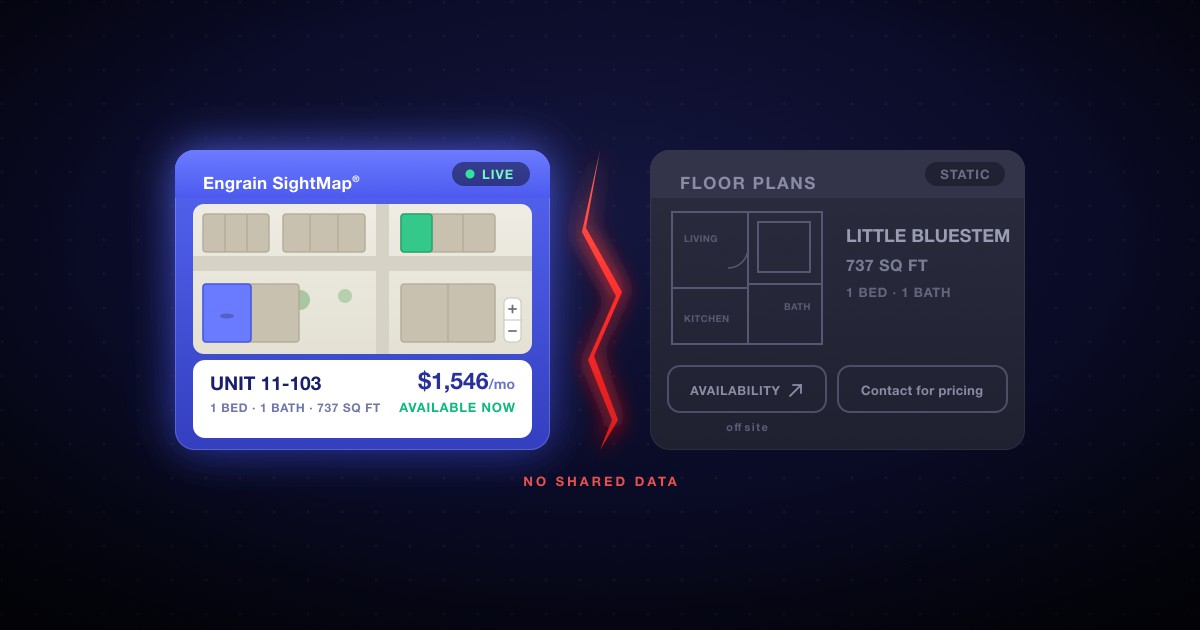
On a real leasing page these limits usually converge into one recognizable shape: a beautiful map on one tab, a grid of static, dead floor-plan cards on the other, and no live data flowing between them — not even the filters agree. It is common enough that we gave it its own piece, the two-tab problem, with the failure modes, a two-minute test to check your own site, and the images to prove it. If any of the above sounded familiar, read that next. The rest of this guide is about the way out.
The native alternative: one live experience
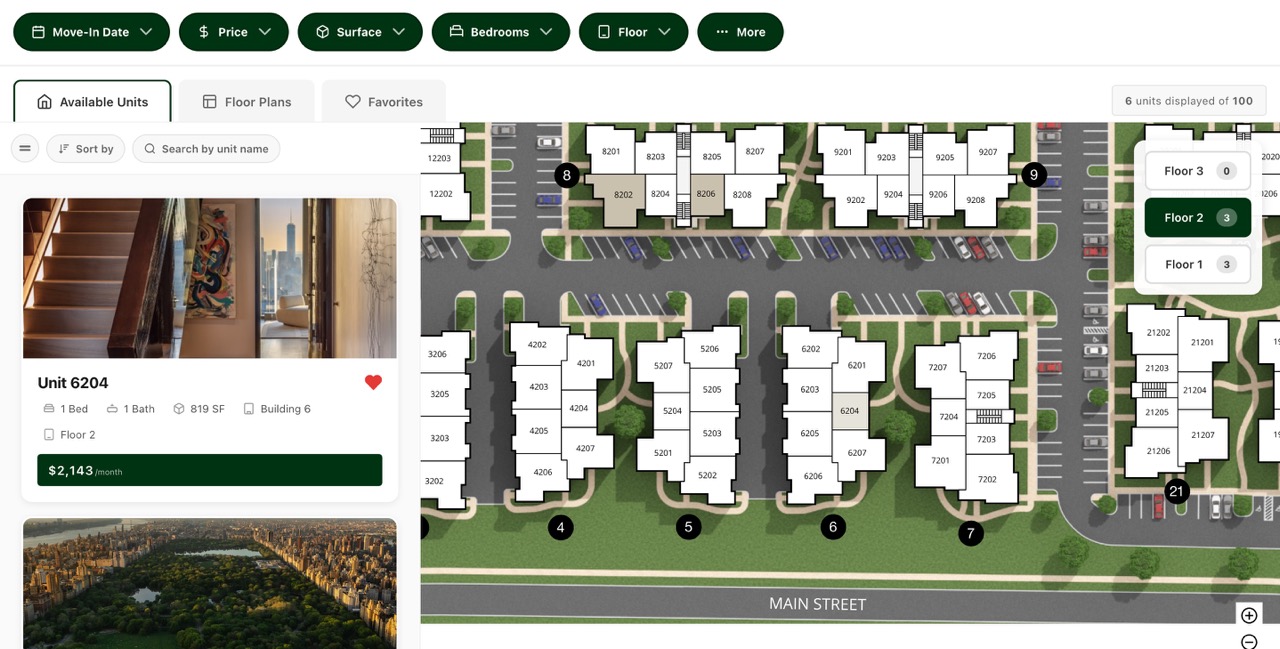
A complete integration keeps SightMap exactly where it belongs — the interactive centerpiece — and makes everything around it just as alive. Floor-plan and unit cards become real HTML carrying the same live availability and pricing as the map; filters drive both at once; structured data sits underneath so search engines and AI assistants can read every unit; and tour scheduling wires into your own lead capture. One source of truth, every surface current, the map and the list finally in sync. The polish you already love from SightMap, extended to the whole page.
Historically that was a custom development project — the kind agencies quote five figures for and then bill a monthly retainer to maintain. We built WP FloorMap to remove that cost, and there are two ways to arrive at it, depending on where you are starting.
Option one: a complete site, built for you. On the Launch and Studio plans, WP FloorMap generates your entire multifamily website from your SightMap and PMS data, and Foreword sets it up for you: bespoke-quality design, live in an afternoon, no code and no developer to hire. Hosting, security and SEO are handled for you, and the whole thing — a complete, owned website, not a widget — costs less per month than the retainer alone on a typical agency engagement (often around $2,000). If you do not have a site you love yet, or you are ready to replace one, this is the shortest path to the finished thing.
Option two: the plugin, on the site you already have. If you already run a WordPress site and want to keep it, the Plugin plan adds the native SightMap, the live floor-plan and unit cards, the shared filters and the structured data to your existing pages — your theme, your host, your content, now with the live data layer the two-tab pattern was missing. You install it yourself and connect your SightMap; nothing about your current site has to change, except that its inventory finally becomes real, current and readable.
Either way the result is the same open WordPress you own, with SightMap as the star and every surface around it carrying the same live data. When a unit leases or a price moves, the page and its structured data move with it.
Which should you choose?
Honestly, it depends on where you are starting.
- The standard iframe if you just need the map on a page today, your traffic comes mostly from paid listings or direct links, and your own site’s SEO is not a priority yet. Free with your subscription, live in minutes.
- The plugin if you already have a WordPress site you want to keep, and you want its floor-plan and unit data to go live, readable and connected to the map. You add it to the site you already have.
- A complete site (Launch or Studio) if you want the finished thing without the build: a beautiful, owned property website generated from your data and set up for you in an afternoon, for less than a typical agency’s monthly retainer.
All three keep SightMap at the center. The difference is how much of the page around it is alive, and how much of the work you would rather not do yourself. The one path worth avoiding is a lone iframe you assume is doing SEO work for you: it is not, and every month it sits there alone is a month your inventory is invisible to the channels that are growing fastest.
Frequently asked questions
Is the SightMap embed free?
The standard embed is included with your Engrain SightMap subscription; putting the iframe on a page costs nothing beyond what you already pay Engrain. What varies is everything around it: whether the units also exist on your page as readable text, whether its interactions land in your own analytics next to the rest of the visitor journey and whether the map connects to tour scheduling and lead capture. That surrounding layer is where the approaches differ.
Does an embedded SightMap help my SEO?
The map itself, no. Content inside an iframe belongs to the frame’s domain, not to your page, so search engines and AI assistants do not credit your site with the units, prices and availability inside it. The fix is to pair the map with the same facts rendered as real HTML and structured data on your own page. The map is for people; the text layer is for machines. You want both.
Can I embed SightMap without WordPress?
Yes. The standard iframe works on any page that accepts custom HTML: Webflow, Squarespace, a hand-built site or a proprietary platform that allows embeds. WordPress only becomes relevant when you want the deeper, native integration, because that is where tools like WP FloorMap can render your live unit data as part of the page itself.
Do I need a developer to embed SightMap?
Not for the basic embed: pasting an iframe into a page is a copy-and-paste job. The native approach historically required custom development, which is exactly what WP FloorMap replaces. It generates the complete site around your SightMap, and on the Launch and Studio plans Foreword sets the whole thing up for you, so neither path requires hiring a developer anymore.
Want to see the native approach on real data? Explore the live demo — every unit you see there is crawlable text on the page — or get in touch and we’ll show you what it looks like with your own SightMap.